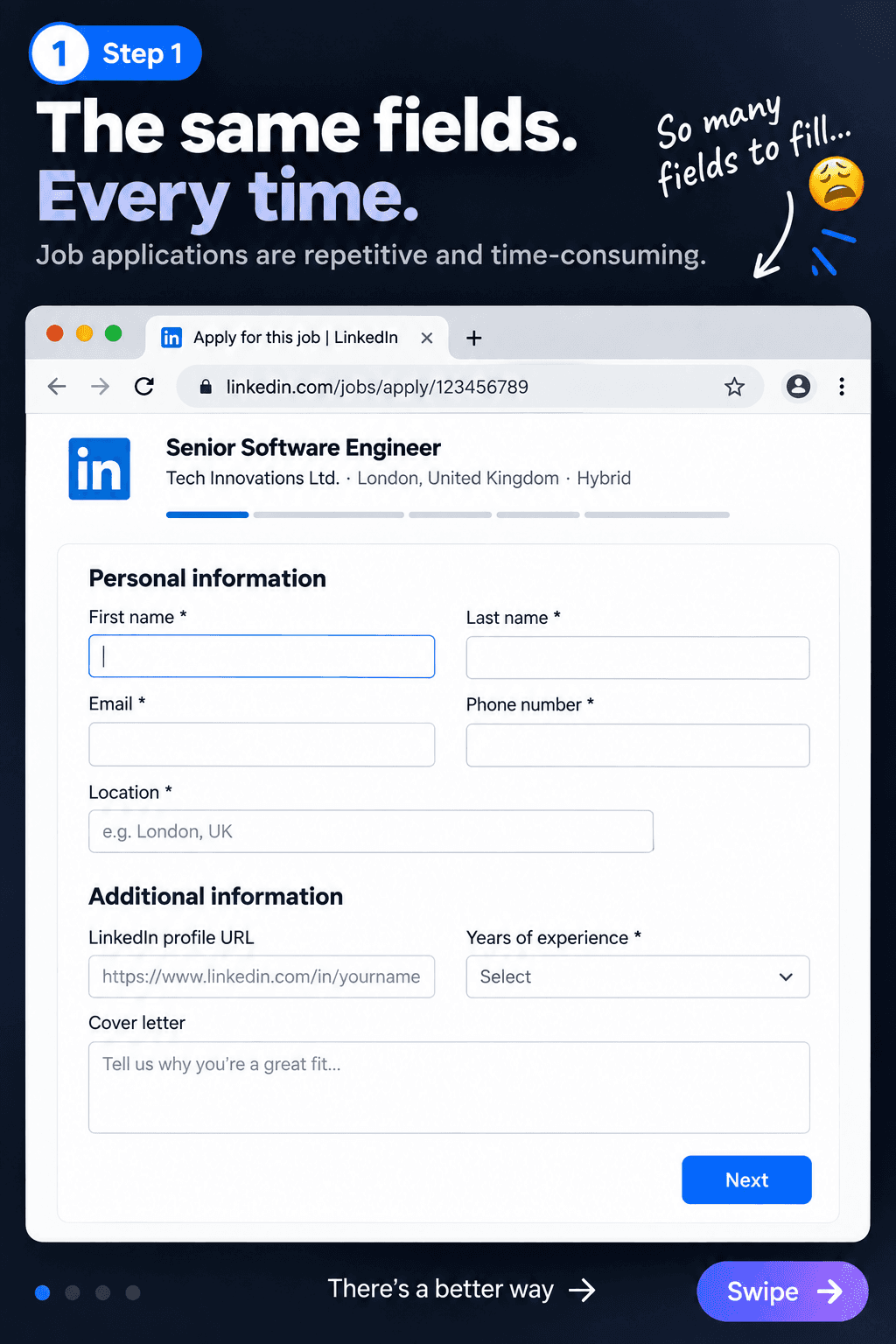
Open the job application
Start on the application form you want to complete. Smart Job Fill works only when you choose to use it.
 Smart Job FillWrite Once. Use Everywhere.
A calmer way to apply
Save the details you type again and again, then fill matching fields when you choose. Less repetitive work, more attention for the application that matters.
How it works
Open the application, launch the extension and fill matching fields with one deliberate click.
Start on the application form you want to complete. Smart Job Fill works only when you choose to use it.
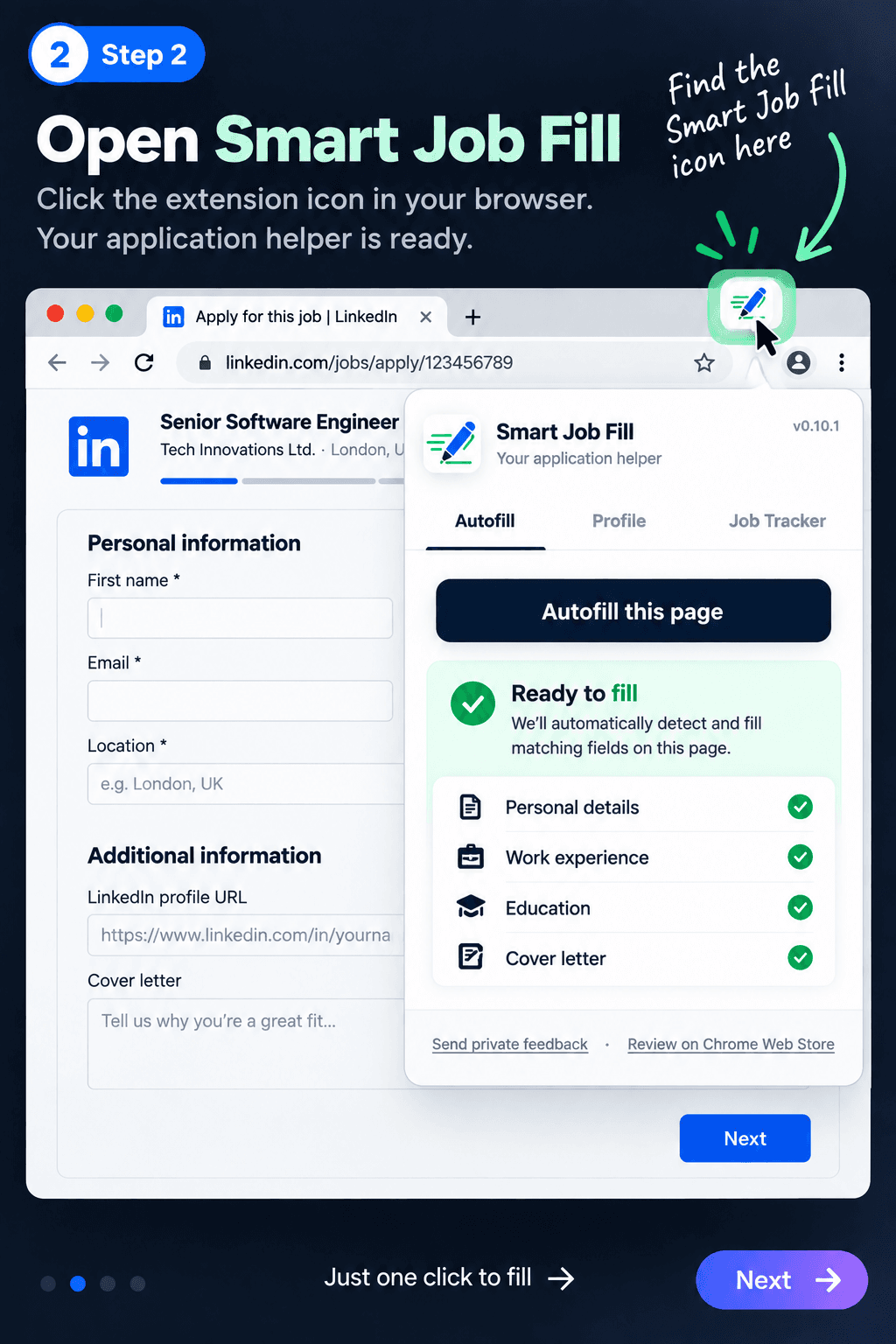
Select the Smart Job Fill icon from your browser toolbar while the application page is open.
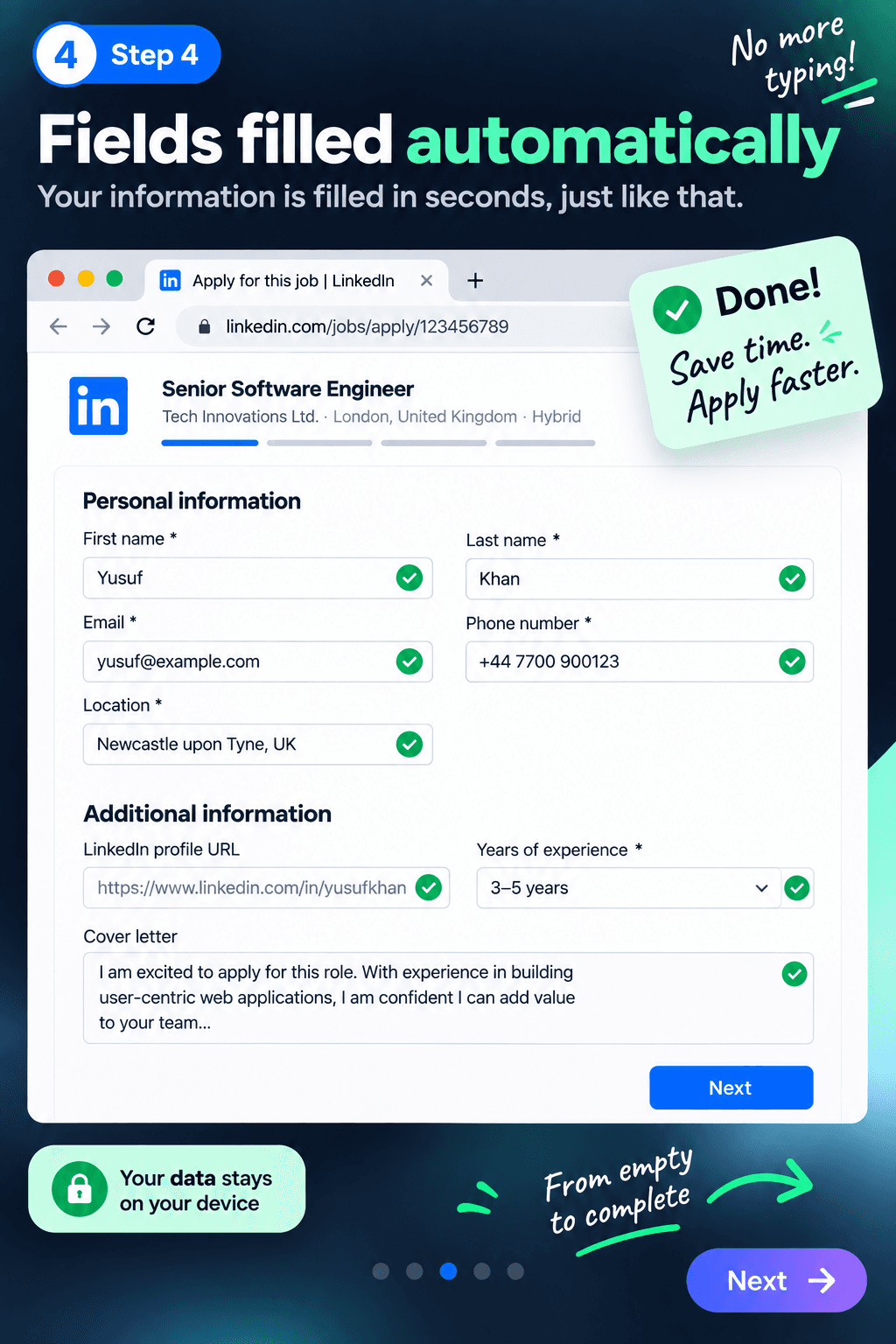
Click Autofill this page, then review the matching details Smart Job Fill adds before you submit.
Built for repeat applications
Smart Job Fill handles repetitive entry while leaving every final decision with you.
Save your contact details, experience and reusable answers in one browser profile.
Detect matching application fields and fill them only after you choose to run autofill.
Teach unfamiliar questions once so similar applications become easier next time.
Review every populated field yourself. Smart Job Fill never submits an application.
Why use it
Job applications repeatedly ask for the same contact details, experience and common answers. Build your profile once and reuse it thoughtfully.
How it works
Install the Chrome extension
Create or import your reusable profile
Open a supported job application
Click Autofill this page
Review everything before submitting
Good to know
No. Smart Job Fill only fills matching fields after you click Autofill. You always review and submit the application yourself.
Your reusable profile and learned field mappings are stored locally in your browser, not on a Smart Job Fill server.
Yes. Smart Job Fill is free to install and use.
Built with job seekers
Share private product feedback or leave an honest public review to help other applicants decide whether Smart Job Fill is right for them.
Write once. Use everywhere.